Store Customers and Email Campaigns
A list of customers by lifetime value, marketing opt-in status, and ready-to-use welcome/win-back email flows.
The Customers tab collects everyone who has ever placed an order in your stores, along with their total purchase amount and the date of their last order.
Where to find it
Shop module → Customers (…/shop/customers).
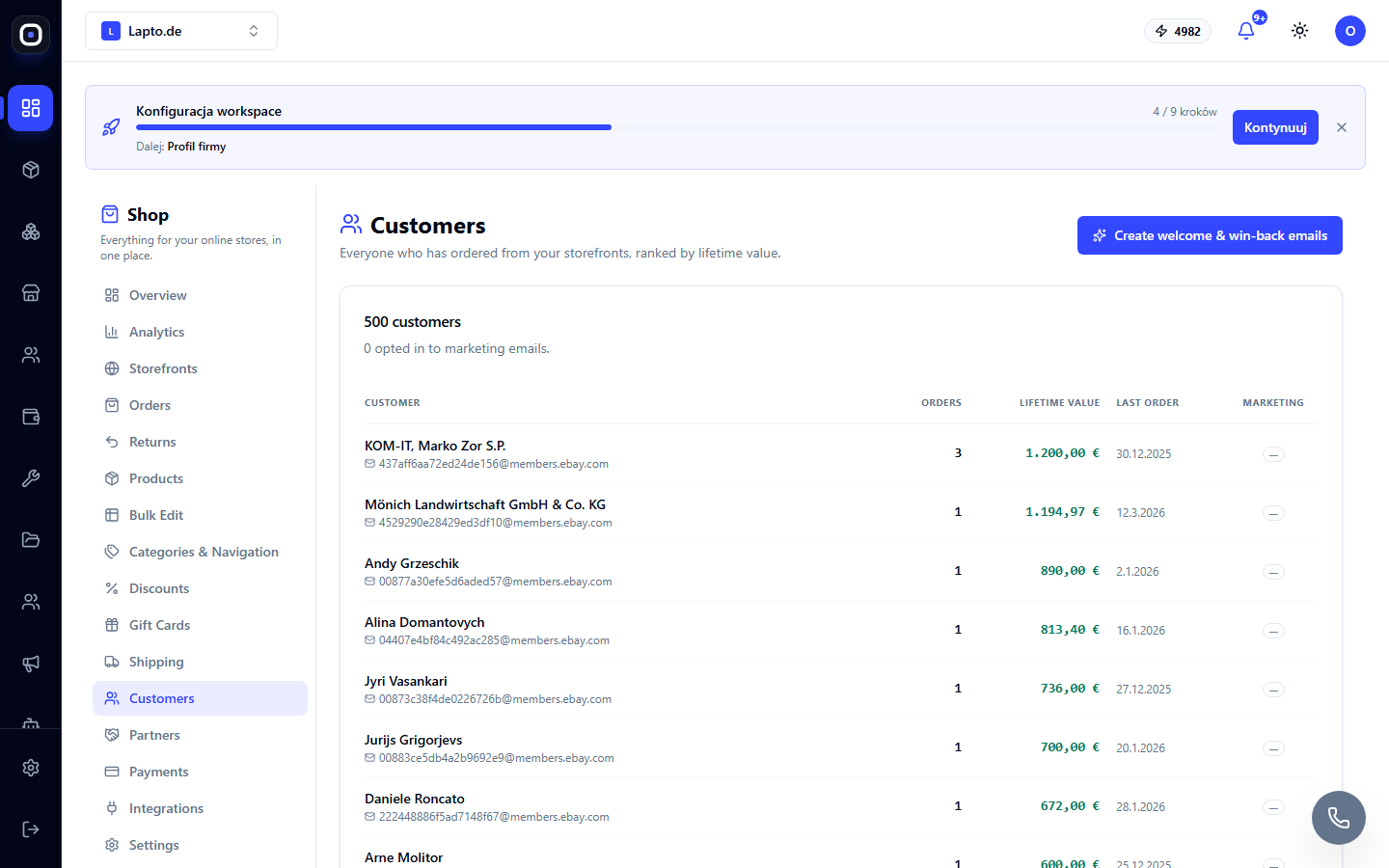
What you see
- Customer's name and email;
- number of orders and lifetime value (LTV) — sorted in descending order;
- date of the last order;
- Opted in tag if the customer has agreed to receive marketing emails.
Marketing Consent (GDPR)
The customer gives consent for email campaigns via a separate checkbox — either when registering in the customer account or at checkout. Without consent, the client will not be added to any mailing list — this is a GDPR requirement, not a setting that can be disabled.
Ready-made Email Flows
The Create welcome & win-back emails button immediately creates two sequences in Email Marketing:
- Welcome — one email immediately after registration;
- Win-back — an email after 30 days for customers who haven't ordered for a long time.
Both sequences appear in Marketing → Sequences, where they can be edited or disabled.