Store blocks in the Site Builder
A complete list of blocks that make up an online store: header with cart, catalog with filters, product page, cart, checkout, wishlist, comparison, customer account — and what each field configures.
When a store template is selected in the Site Builder, pages are composed of individual commerce blocks — each responsible for its own part: header, catalog, product card, cart, etc. This article is a guide to each of them.
Store Header — Shop Navbar
The Shop Navbar block is the site header with a logo, menu, cart, account, and wishlist.

Configuration fields:
- Shop Name / Logo — name and logo; if no logo is uploaded, the text name is displayed;
- Menu links —
From page tree (auto)automatically builds the menu from pages marked "show in navigation" (simpler and won't forget to update when adding a page), orManual list— a custom list of menu items with arbitrary URLs; - Show language switcher — language switcher, if the site is multilingual;
- Cart icon opens — clicking the cart icon opens a sidebar (mini-cart) instead of navigating to a separate cart page;
- display of account and wishlist icons and the URLs they lead to.
The site menu (items, sub-items) is edited separately via Menu Builder — see Navigation and Menus (the page describes the old builder, but the principle of building the menu tree is the same; for the new Site Builder, the page tree with the "show in navigation" mark is the simplest way).
Main Banner — Shop Hero
A large banner at the top of the homepage: title, subtitle, background image, and optionally a search bar with the results page URL.
Category Grid — Shop Category Grid
A grid of product category cards (automatically pulled from the catalog) with an optional section title.
Product Catalog — Shop Catalog
The largest and most important block — a full-fledged catalog page with filters, search, and pagination.
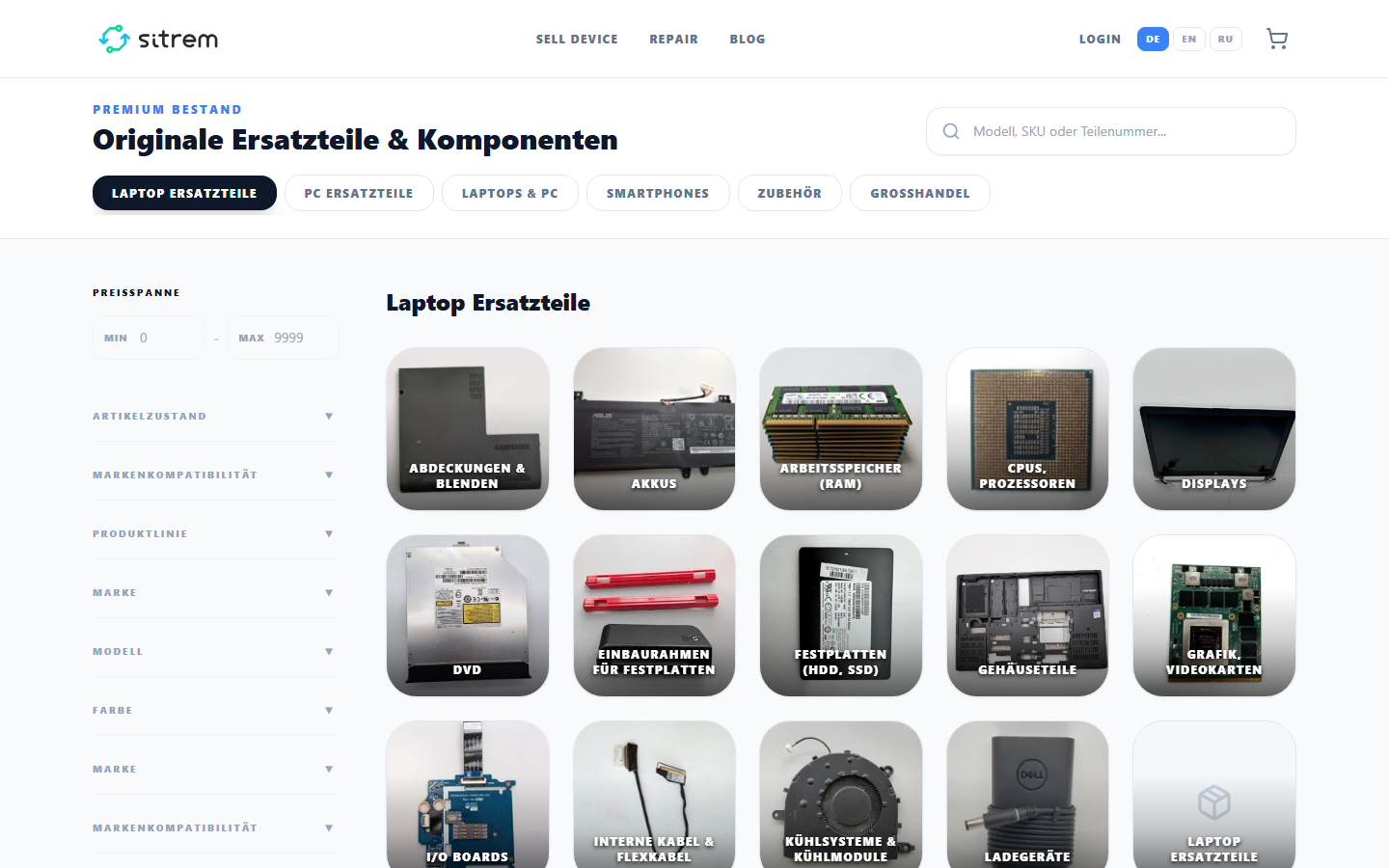
Configuration fields:
- Card style — Classic / Tech / Luxury, three ready-made product card appearances;
- Products per page — pagination page size;
- Show filter sidebar — enables/disables the entire filter sidebar;
- Search box in sidebar, Price filter, Brand filter (from actual products), Spec filters (from
visible_filtersof the category — see Product Catalog); - Condition/grade badge on cards — product condition badge (new/used/refurbished), relevant for electronics;
- Card spec keys — which characteristics to show as chips directly on the card (e.g.,
CPU, RAM, Disk); - Product comparison + Compare page URL — enables the "compare" button on cards;
- Wishlist heart button on cards — "add to favorites" heart;
- Smart collection slug — restricts the catalog to a pre-configured smart collection instead of showing the entire assortment; empty value = show all (considering other filters).
Catalog search is typo-tolerant — even if the customer enters a product name with an error, relevant matches will still be found.
Featured Products — Shop Featured Products
Manual or automatic selection of products (marked "featured" — see Products panel of the builder) with a title, subtitle, number of cards, and style.
Product Page
Consists of several separate blocks that can be arranged in any order:
- Shop Product Gallery — product photo gallery, no additional settings;
- Shop Product Header — name, price, "Add to Cart" button; toggles for Show warranty/shipping badges and Show Apple Pay / Google Pay button (see Apple Pay / Google Pay);
- Shop Product Description — product description with section title;
- Shop Product Specs — specifications table; Show only these specs limits and orders the list, Hide these specs hides specific fields, Hide long text values hides overly long values behind an expansion;
- Shop Product Reviews — customer reviews with section title;
- Shop Related Products — "you might also like," number of cards and style;
- Shop Product 3D — interactive 3D model of the product, if a model is uploaded for it.
Cart, Checkout, Confirmation
- Shop Cart Page — cart page: empty state text and checkout URL;
- Shop Checkout — the checkout itself; the only setting is Cash on delivery (enables cash on delivery as an option) and the success page URL; the rest (payment methods, shipping, tax) are automatically pulled from shipping settings and workspace tax settings;
- Shop Order Success — thank you page after checkout, title and message text;
- Order Lookup — "track order" form by number and email, without registration.
Customer Account
- Shop Login / Register — login/registration form, title, subtitle, and redirect page after successful login;
- Account Dashboard — personal account: order history, saved address; title, login page URL (shown to unauthorized users), and logout redirect URL;
- Shop Wishlist — wishlist page; empty state text, "to catalog" button URL, card style;
- Product Comparison — product comparison page for items added via the "compare" button in the catalog; title, subtitle, empty state text, and Highlight differing rows toggle (highlights specification rows where products differ).
Auxiliary Blocks
- Shop Breadcrumbs — navigation breadcrumbs, with text for the home link;
- Shop Category Tabs — horizontal category tabs with no additional settings.