Machine Time: How long does an operation take on each machine?
Operation time is calculated from the part's geometry and the machine's specific parameters, without formulas: select a machine, start with a template, enter your speeds, and check with an example.
How long does a laser cut a part? "Three minutes" is a bad answer. A small plate with one hole and a large sheet with a hundred cuts take different amounts of time, with a tenfold difference.
The correct answer depends on two things: the part's geometry (how many meters to cut, how many pierces, what thickness) and the machine's capabilities (at what speed it cuts that thickness).
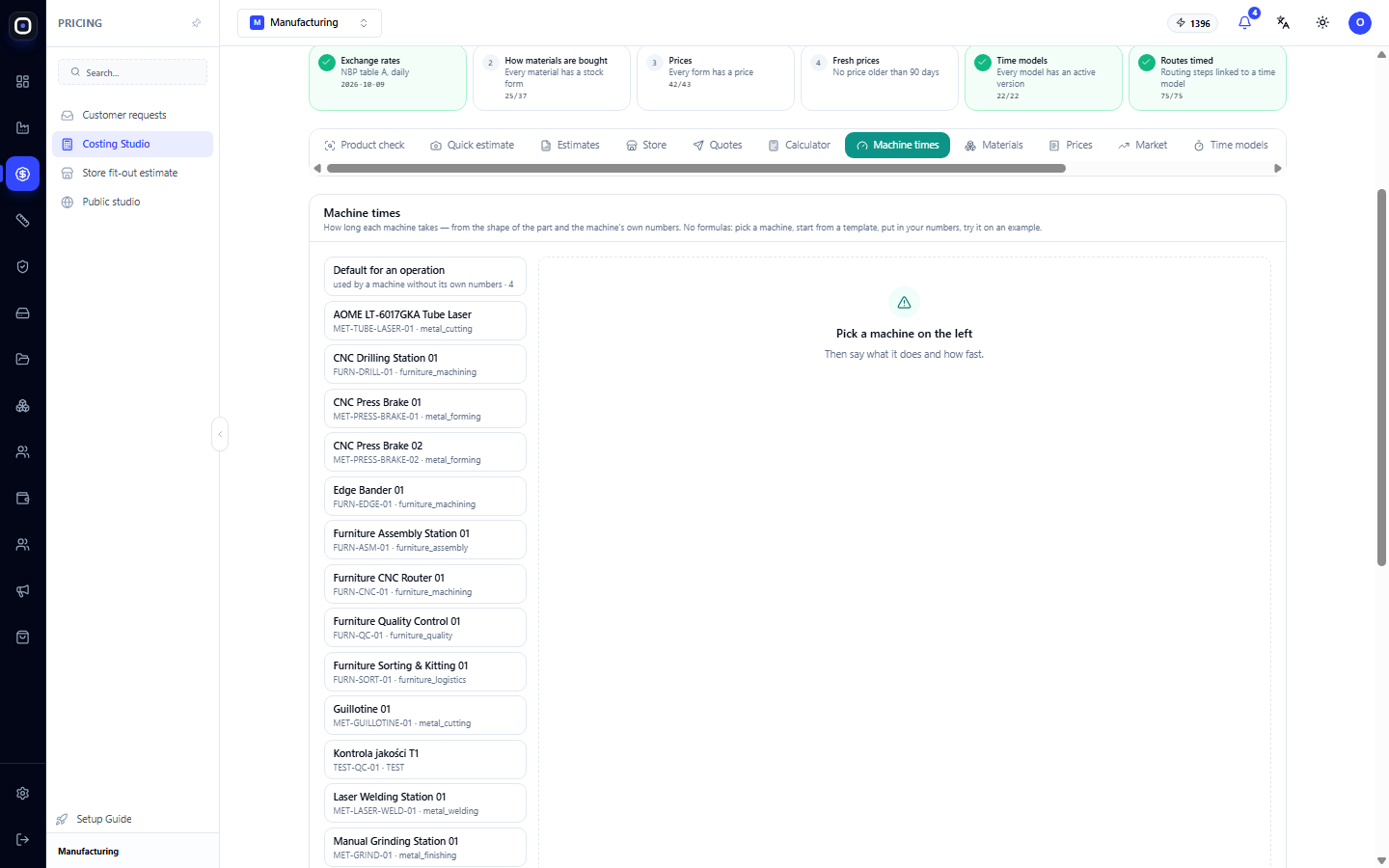
The "Machine Time" section combines these two. The heading explains exactly how: how long an operation takes on each machine, based on the part's geometry and the machine's specific parameters. And for those who fear complex settings, the most important part is: no formulas. Select a machine, start with a template, enter your numbers, and check with an example.
Where to find it
Open Costing Studio and click on the Machine Time section.
Why is this needed?
Three things depend on operation time simultaneously.
- Price. An hour of laser time costs money. If the time is underestimated by half, you are selling machine work at half price.
- Lead time. Planning arranges operations by their duration. Incorrect time leads to an incorrect date.
- Workload. The foreman sees how many hours of work each person has. If the time is inaccurate, someone is overloaded, and someone is idle.
Therefore, it's worth setting up the time once and well, rather than manually entering standards for each part.
Machine list
On the left, there is a list. It consists of two parts.
Typical for operation
The first item is "Typical for operation". These are the numbers the system uses for a machine that doesn't have its own. Next to it, it shows how many such typical sets exist.
This is a fallback option. If you have two lasers and haven't entered data for one yet, the typical numbers for the "laser cutting" operation will be used for it.
Your machines
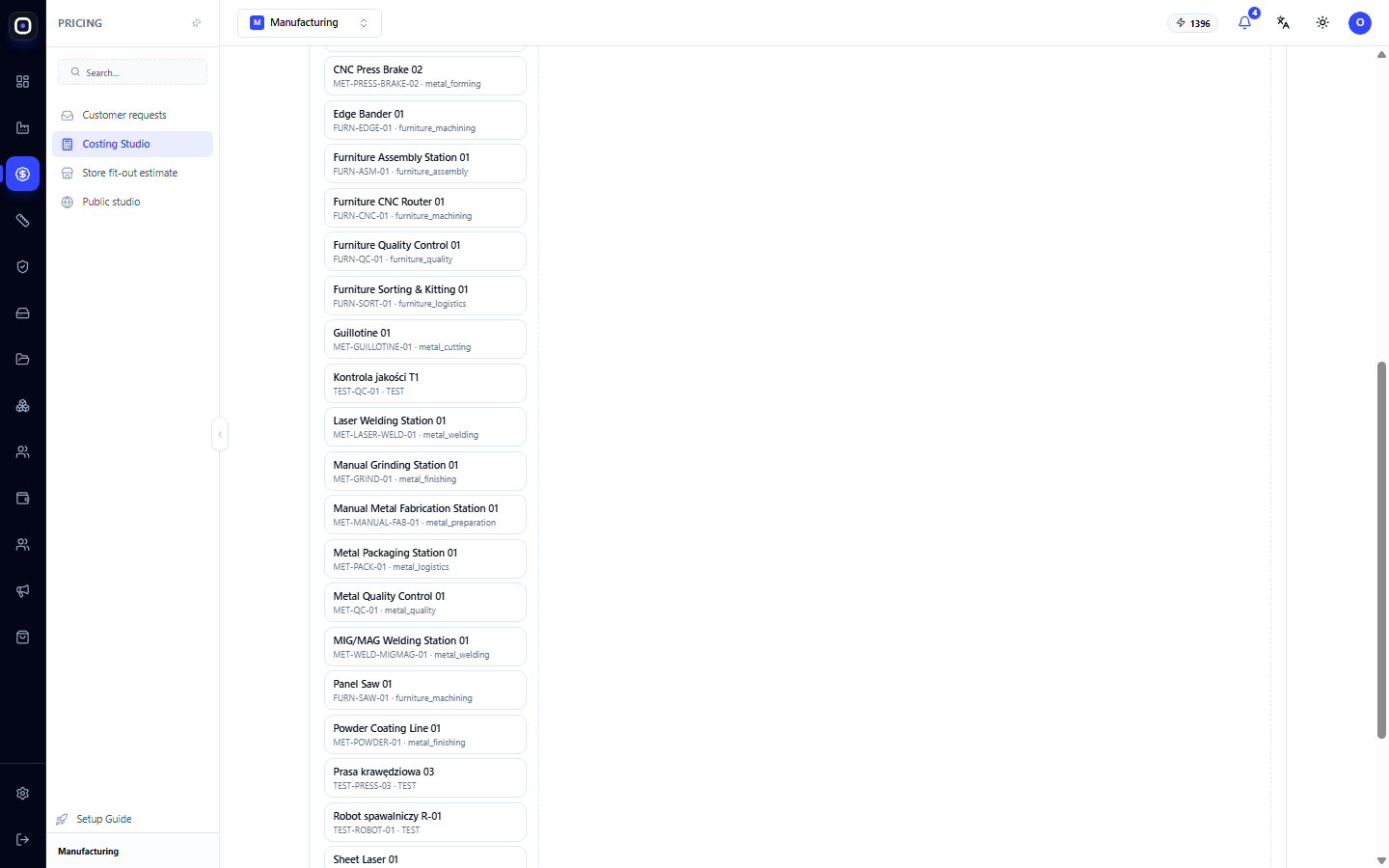
Next are all the machines and workstations from your factory configuration. Each shows its name, code, and group: metal cutting, forming, welding, finishing, furniture processing, assembly, quality control.
Click on a machine to open its numbers. The list is long and can be scrolled.
How to configure a machine
The four-step process is described in the section itself.
1. Select a machine
Click on it in the list.
2. Start with a template
There's no need to invent numbers from scratch. For each type of equipment, there's a template with typical values: tube laser, sheet laser, press brake, powder coating line, and others.
The template provides a reasonable starting point. It's not exact for your machine, but it's close.
3. Enter your numbers
Now replace the typical values with your own. Which numbers exactly depends on the type of machine.
For cutting, this usually includes cutting speed for different thicknesses, pierce time, loading and unloading time.
For bending — time per bend, part repositioning time, tool change time.
For welding — weld speed, tacking time, time to move between welds.
For painting — line speed, preparation time, curing time.
For all — setup time per batch.
Where to get the numbers? From the machine's passport, from the operator's experience, or most simply: measure three or four typical parts with a stopwatch.
4. Check with an example
This is the step that distinguishes working settings from good-looking ones. Take a part whose time you know accurately and see what the system calculates.
If the result is close to reality, the machine is configured. If it differs by a factor of two, find out which number is wrong.
Check with two parts: a simple one and a complex one. Numbers that give the correct time for a simple part can be very wrong for a complex one.
Setup and batch
Setup time deserves a separate mention. This is the time spent once per batch, regardless of quantity: setting up the program, securing the fixture, making the first sample.
This is why one piece costs significantly more than each of a hundred. Fifteen minutes of setup for one part is fifteen minutes. For a hundred parts, it's nine seconds each.
If setup time is not entered, small batches will be underestimated, and you will lose money on them.
Human pace
Machine numbers describe the machine. But a person operates it, and an experienced operator does the same work faster than a novice.
For this, the workshop staff register has an employee's pace. It is applied to the machine time. This makes the plan for a novice realistic, not like that for the best operator.
How this relates to the rest
- Time Models. The adjacent section, where machine numbers are collected into models with versions, and where it shows which route steps are linked to them.
- Routings. A routing step linked to a time model takes time from here. Then the "estimated minutes" field in the routing becomes a fallback.
- Accuracy. This section compares calculated time with actual time and shows for which operations the numbers need adjustment.
- Manufacturing Advisor. If the time is consistently off, the advisor will suggest calibration.
When to review numbers
- Bought a new machine — enter its numbers immediately.
- Changed tooling or an instrument — time might have changed significantly.
- The "Accuracy" section shows a discrepancy — the system consistently makes errors in one direction.
- Once every six months — for good measure.
Typical workflow
- Open Costing Studio → Machine Time.
- Select the machine you use most often.
- Apply the template for its type.
- Replace the typical numbers with your own.
- Enter the setup time.
- Check with a simple and a complex part.
- Repeat for the rest of the machines.
- After a month, check the "Accuracy" section.
Frequently Asked Questions
What happens if a machine doesn't have its own numbers?
The system will use the typical numbers for the operation. The calculation will work, but less accurately.
The calculated time is twice the actual time.
Check the speeds for the required thickness and the setup time. Most often, one of these two numbers is incorrect.
Do I need to enter a standard for each part?
No. That's the point: numbers are entered for the machine, and the time for each part is calculated from its geometry.
The machine is not in the list.
The list is taken from the factory configuration. Add the machine there, and it will appear here.
Two identical machines operate differently.
This is normal: age, condition, operator. Enter separate numbers for each.
Do operators see these numbers?
No. This section is for the technologist and manager. Whether to show employees the standard operation time is decided by the "haly" rule.