AI Chat and Photo Analysis in the Embedded Website Widget
The widget, embedded on any external website, can conduct AI dialogues with visitors and analyze uploaded photos to immediately collect detailed applications.
The Oprela embeddable widget (a separate script that can be placed on any external website—not necessarily one created in Oprela) can not only display a static application form but also conduct an AI dialogue with the visitor.
Widget Settings
The Widget Settings page (…/widget-settings) is where the widget's settings are managed and the code for embedding it on a website is obtained.
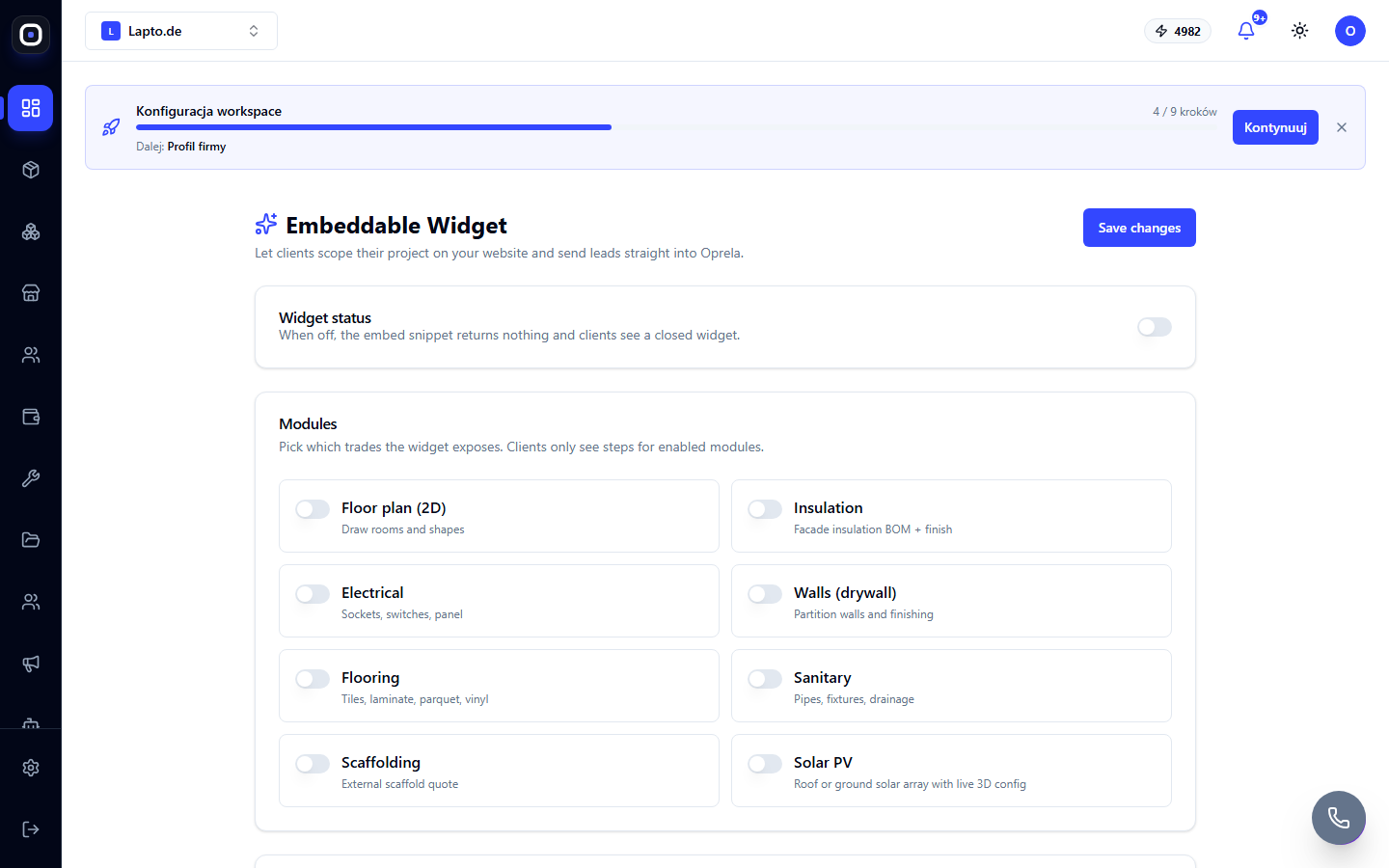
The "Embed on your website" card contains the ready-to-use code—the "Copy snippet" button copies it for insertion into the HTML of the external website. Among the setting toggles, there is an option to enable the AI assistant in the widget.
How it looks to a visitor
When the AI assistant is enabled, a floating chat button appears on the embedded widget. Visitors can describe their needs in free text, and the assistant asks clarifying questions to gather a complete application (similar to how the Oprela assistant conducts interviews for website creation). If the scenario involves photo uploads (e.g., photos of damage or an object for appraisal), the AI analyzes the images and incorporates details from them into the application.
Credits
AI dialogue and photo analysis in the widget consume AI credits from the workspace that owns the widget.