Page SEO Panel: Score, AI Generation, Structured Data
Real-time page SEO score, AI generation of meta tags based on content, and separate publication settings — indexing, noindex, headerless template.
Each page on your site has its own SEO score and settings — independent of general technical SEO mechanisms (sitemap, hreflang) that work automatically.
SEO Panel (Editor Sidebar)
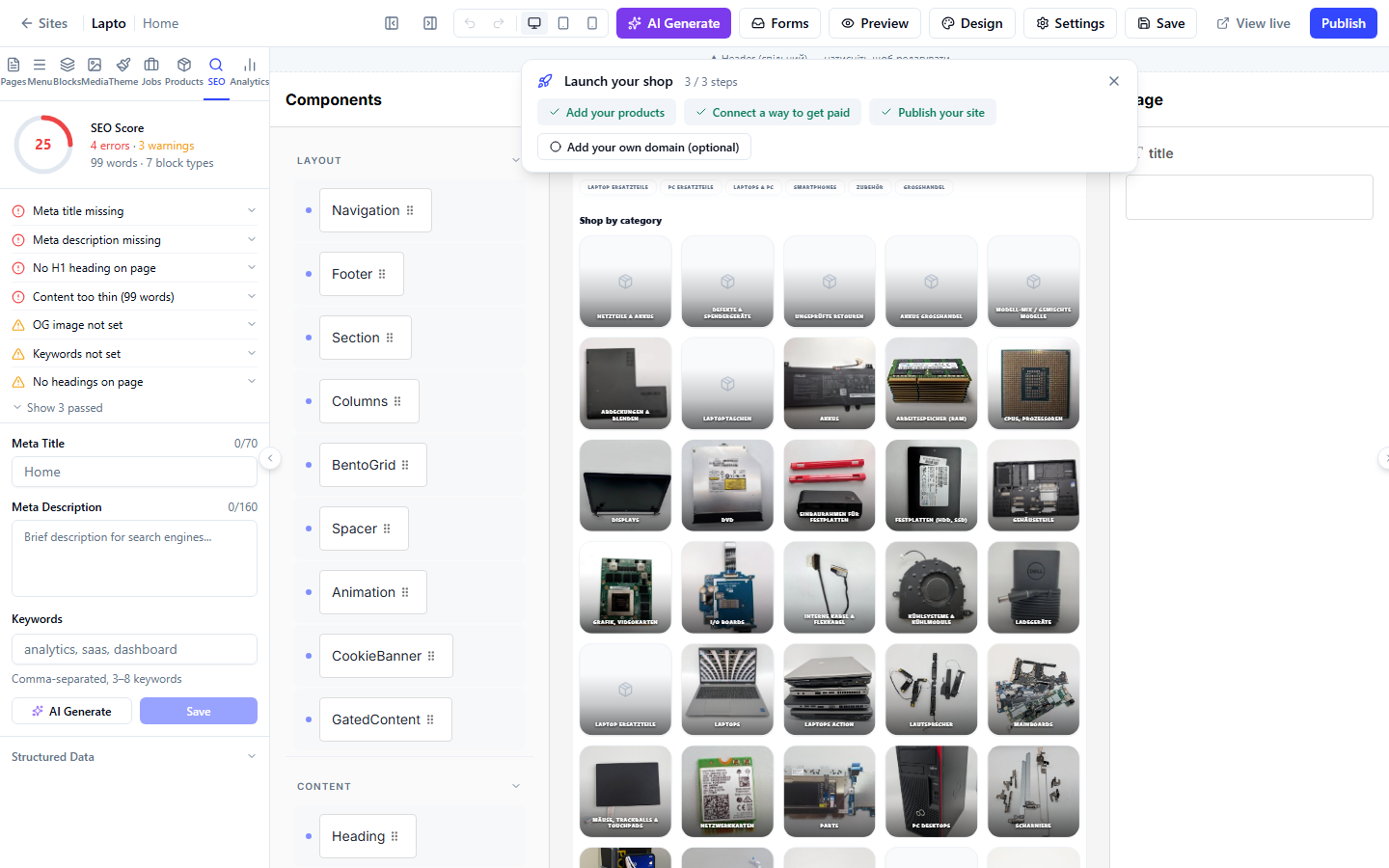
- A circular score of 0–100 (red/yellow/green) at the top — calculated instantly based on the current page content;
- A list of errors, warnings, and passed checks — expandable with hints on what to fix;
- Meta Title — the title for search results (character counter, guideline 30–70);
- Meta Description — the description for search results (character counter, guideline 70–160);
- Keywords — keywords separated by commas (3–8 items);
- AI Generate button — analyzes the page text and automatically fills in the title, description, and keywords;
- Structured Data section — shows the automatically detected markup type (
@type, e.g., Product or Article), ready JSON-LD with a copy button; this markup is automatically added to the page code upon publication, no manual insertion is needed.
Page Settings
A separate window (gear icon next to the page name) — this is where the technical parameters of the page itself, not the content, are located:
- Page Title and URL Path (the path for the home page is not editable);
- The same Meta Title / Meta Description as in the SEO panel;
- OG Image URL — the image for preview when sharing on social networks/messengers;
- Hide from search engines — adds
noindex/nofollow, the page will not be indexed; - Without common header/footer — the page does not use the site's general Navigation/Footer blocks (for landing pages or checkout pages where a header is not needed);
- Hold back from next publish — keep the page as a draft, do not publish it with the rest of the site.