Setup Guide: Step-by-step business launch
An interactive checklist that guides the owner through all setup steps — from the first product to payments.
The Setup Guide is an interactive checklist for owners and administrators: it shows what has already been configured and what has not yet, and guides you through the key launch steps.
Where to find it
At the bottom of the context menu of any module → Setup Guide item with a rocket icon 🚀. This item is only visible to owners and administrators and disappears once onboarding is complete.
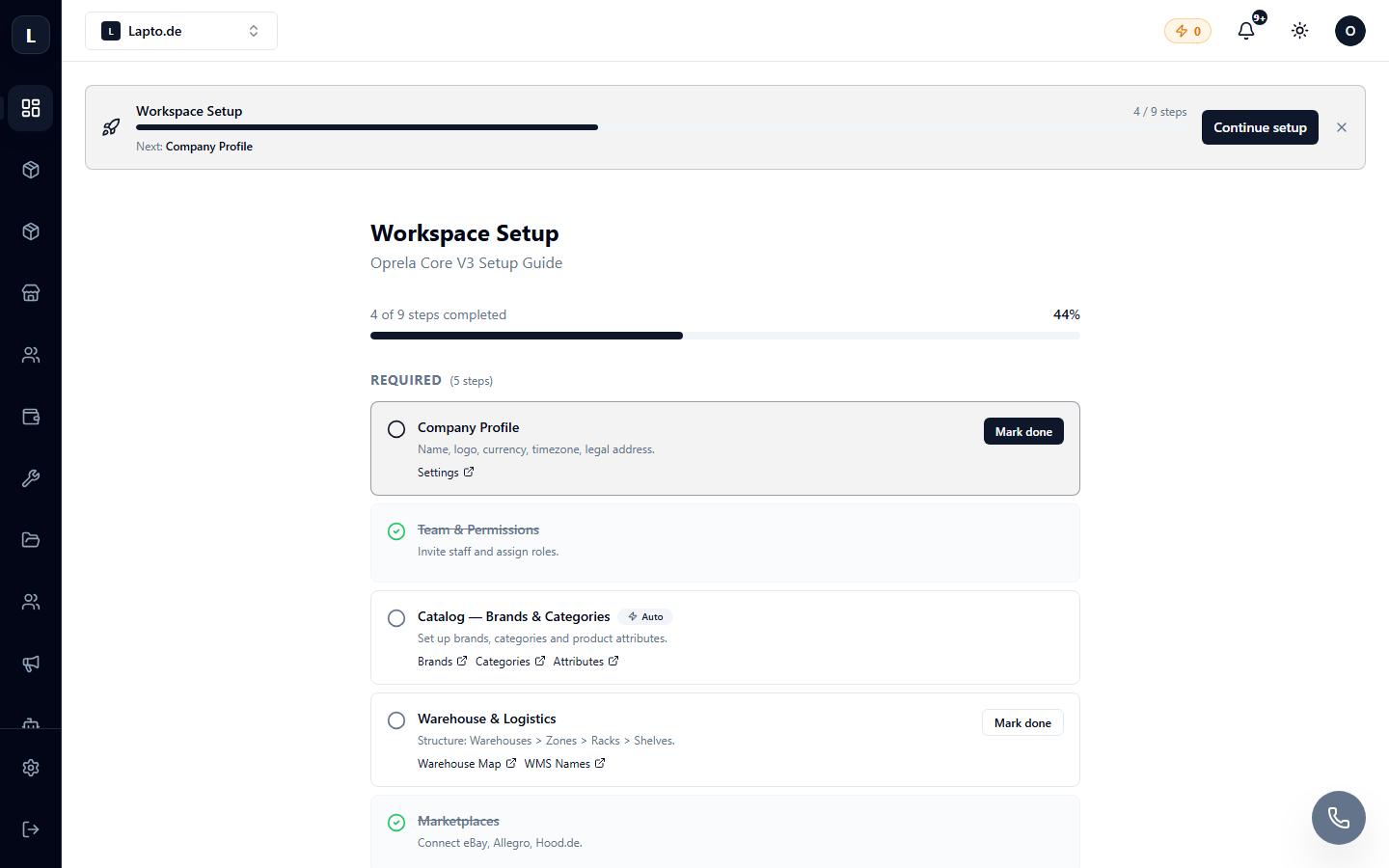
What's included in the checklist
The set of steps depends on the type of business, typically these are:
- Company Profile — name, logo, contacts (Workspace Settings);
- First Product or Service — (Product Catalog);
- Shipping — methods and rates (Shipping Settings);
- Payments — connecting Stripe (Accepting Payments);
- Team — inviting employees (Inviting Your Team);
- Store — publishing your storefront (Your Online Store).
Each step leads directly to the required settings page. Completed steps are marked automatically.
Tip
You don't have to go through everything at once — your progress is saved. But the minimum for starting sales is: product + shipping + payments.