Poster Studio: Image and Text Generation
Two separate AI features in Poster Studio: image generation from a description and text generation/editing for captions – both located in the AI panel on the right.
Poster Studio has a dedicated AI panel with two different tools – one for images and one for text. This is a supplement to the general overview of the studio's AI tools with a more detailed description of each.
Where to find it
In the Poster Studio editor (…/poster-studio), the right sidebar has tabs: Properties (Właściwości), Elements (Elementy), AI, AI Chat (Czat AI), Export (Eksport) – you need the "AI" tab.
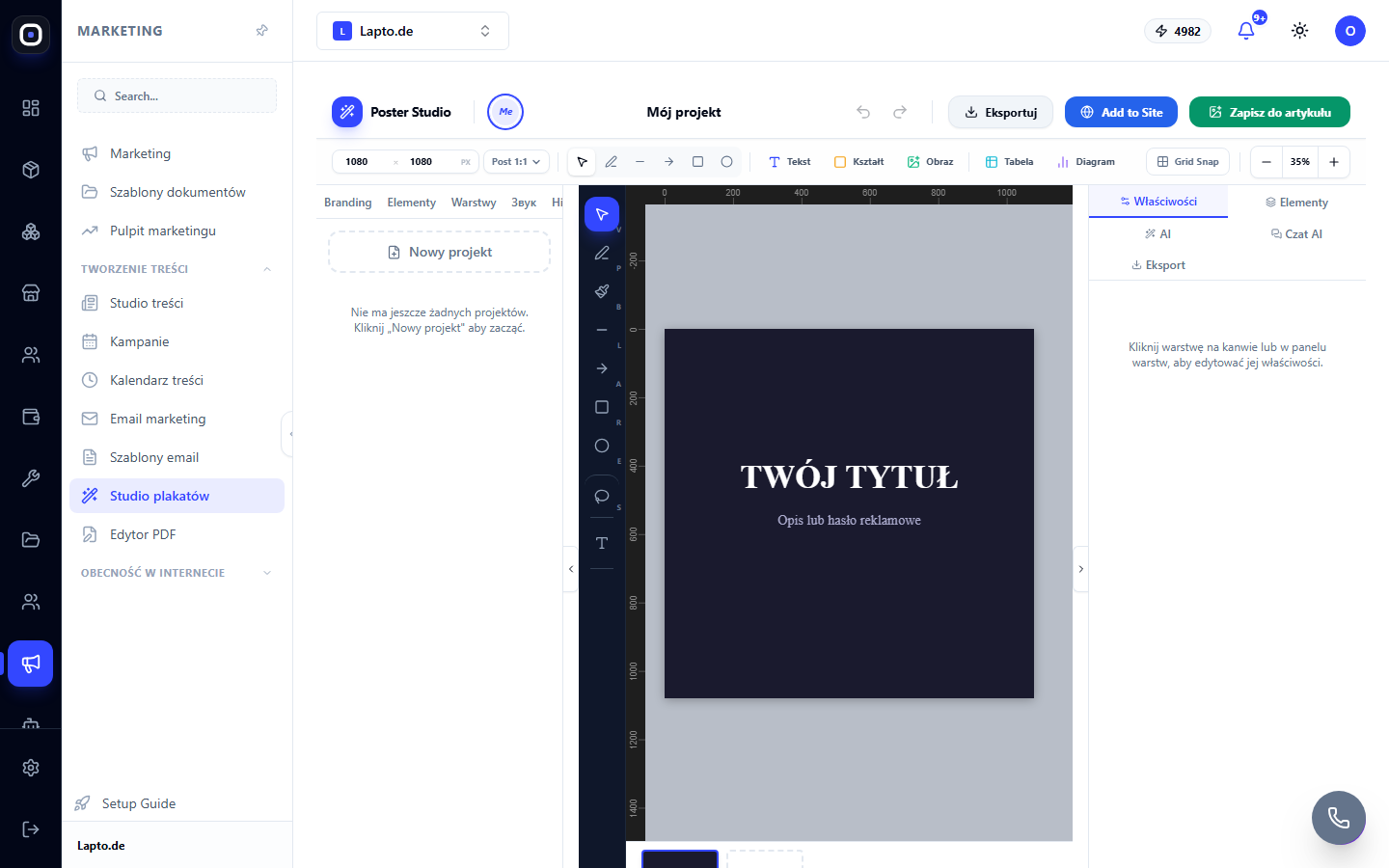
Inside the AI tab, there are sub-tabs: Text (Tekst), Image (Imagen), Photos (Zdjęcia - stock photos), Style (Styl), Edit (Edytuj).
Text Generation (Tekst)
Briefly describe what should be written on the poster – the "Generate text" (Generuj tekst) button creates a caption variant. If the poster is linked to a job vacancy (job ad template), an additional button "Generate from ad data" (Wygeneruj z danych ogłoszenia) appears, which generates text directly from the vacancy data.
AI text editing is also available without opening the panel – directly from the right-click context menu on a text layer: "AI: Improve text" (AI: Popraw tekst), "AI: Shorten" (AI: Skróć), "AI: Expand" (AI: Rozszerz), "AI: Recruitment tone" (AI: Ton rekrutacyjny), "AI: Translate" (AI: Przetłumacz).
Image Generation (Imagen)
A text description of the desired image plus a style selection (Photo, Minimal, Abstract, Dark, Vivid) – the AI generates an image for the poster from scratch based on the description.
Credits
The first image generation per workspace is free. Each subsequent generation consumes AI credits at a fixed rate per call. Text AI actions consume credits proportionally to the volume of generated text.