InPost: Delivery to Parcel Lockers
The buyer selects a parcel locker directly at checkout — with an interactive map, without manual address entry.
In addition to DPD and DHL courier delivery, the store supports delivery to InPost parcel lockers — a popular way to receive parcels in Poland.
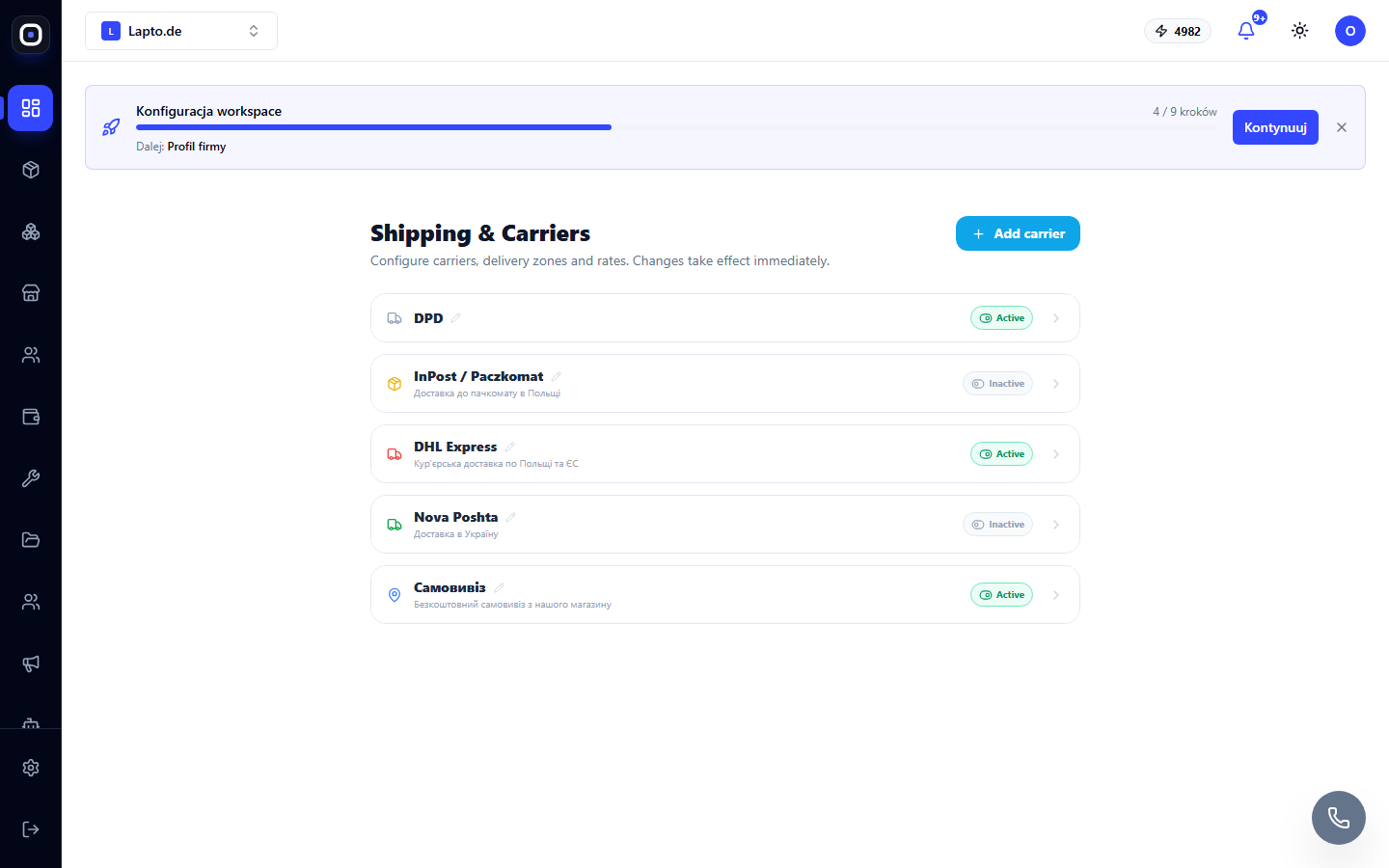
Enabling the Shipping Method
Go to Storefront → Shipping & Carriers (…/erp/shipping-settings) → InPost / Paczkomat carrier → Active. Set up delivery zones and pricing just like for other carriers — see Shipping Method Settings.
What the Buyer Sees
At checkout, after selecting InPost, the buyer clicks "Select parcel locker" — an interactive InPost map opens with search by address or geolocation. The selected point (code, name, address) is saved in the order; payment becomes available only after selecting a parcel locker.
Creating Shipments
Currently, creating shipments and printing InPost ShipX labels is done outside Oprela (via the InPost cabinet) — the tracking number is added to the order manually, just like for other carriers without direct integration.