Your design tool, without the extra subscription
A full drag-and-drop design studio for posters, social posts and print flyers — with AI that writes your headline, generates your background and keeps everything on-brand. No separate Canva account, no exporting back and forth.
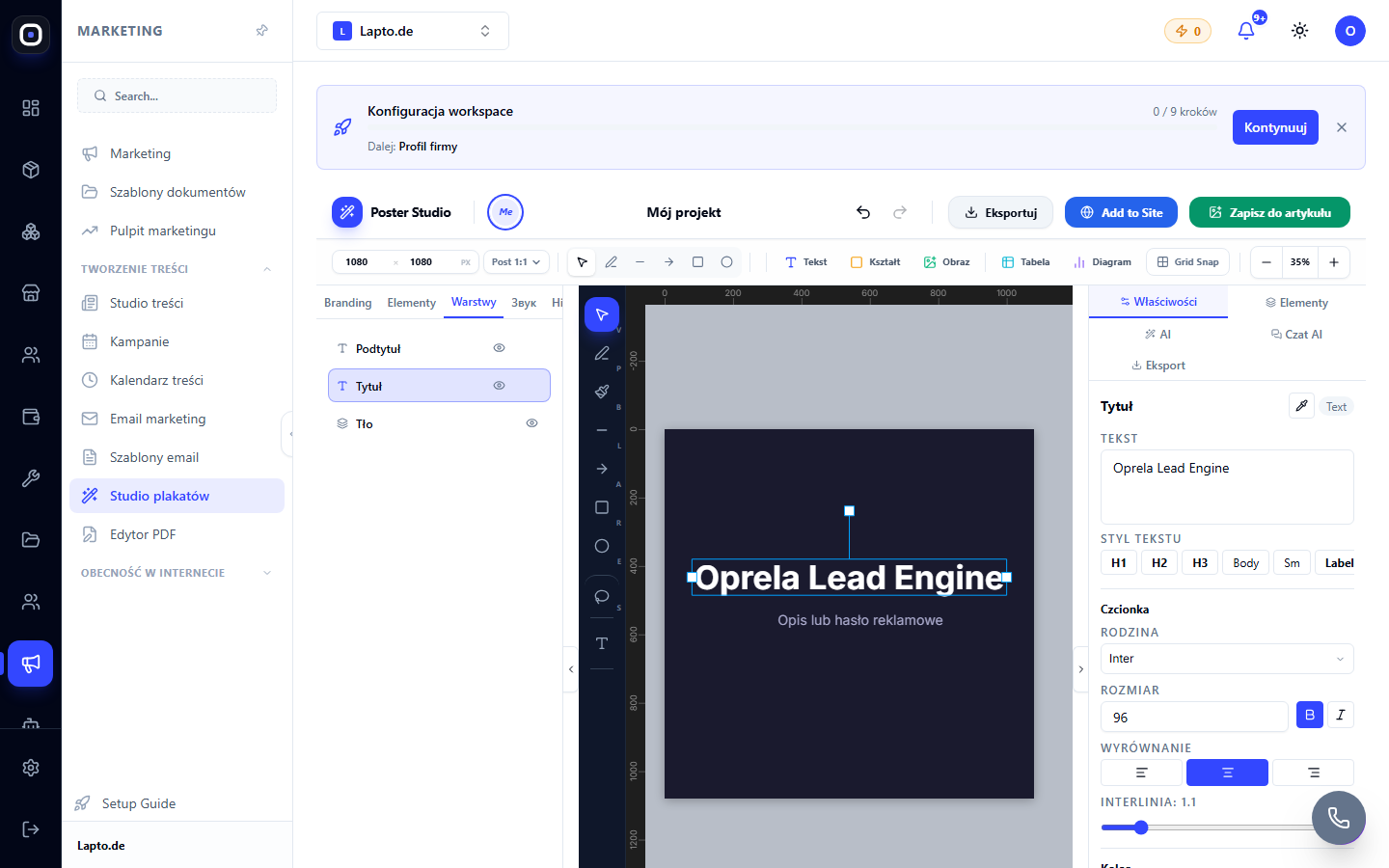
From blank canvas to published post
Everything happens in one editor.
Pick a format
Instagram square, Stories, A3–A6 print, US Letter and more — 13 ready presets, or set your own size.
Let AI start the design
Describe what you need and get an AI-generated background, a headline and body copy — or search stock photos right inside the editor.
Refine with real design tools
Layers, alignment guides, charts, tables, icon and shape libraries — a proper design toolkit, not a template filler.
Stay on-brand automatically
Your logo, colours and fonts live in a brand kit — every new design starts from your identity, not a blank page.
Export or publish directly
PNG, JPEG, vector PDF, animated GIF or MP4/WebM video — or send it straight to your Telegram channel without leaving the editor.
A design studio, not a template picker
Built for people who need more than a filled-in template.
AI background & image generation
Generate a custom background, expand an image beyond its edges, or remove and replace parts of a photo — all with AI, all inside the canvas.
AI copywriting
Generate a headline and body text on request, or ask AI to analyse a reference style and match it.
Import & edit PDFs
Bring an existing PDF in as editable pages — no need to start from scratch when you already have a layout.
Animation timeline
Add motion and an audio track for animated social posts, not just static images.
Charts & tables
Drop in data visualisations directly — useful for reports, comparisons and price lists inside a poster.
What people design with it
Real formats, real output.
Social media posts
Instagram, Facebook and Stories formats, ready in minutes with AI-written copy.
Print flyers & posters
A3 to A6 formats, exported print-ready, with true vector PDF output.
Price lists & promos
Charts and tables built into the same canvas as your promotional design.
Telegram channel posts
Design and publish to your channel in one flow — no separate export-and-upload step.
Works even better together
Other Oprela modules that pair with this one — same subscription, same data.
Questions about Poster Studio
Do I still need Canva or Photoshop?+
Can I keep my brand consistent across designs?+
Can I export for print, not just for screens?+
Can I turn a design into a short video?+
Design your next post without leaving Oprela
Poster Studio is included in your workspace — no extra design subscription.